
Tom Clancy's Rainbow Six Tactics Rainbow Six Tactics Controls
What we can say about inputs before Ubisoft publishes a full map.
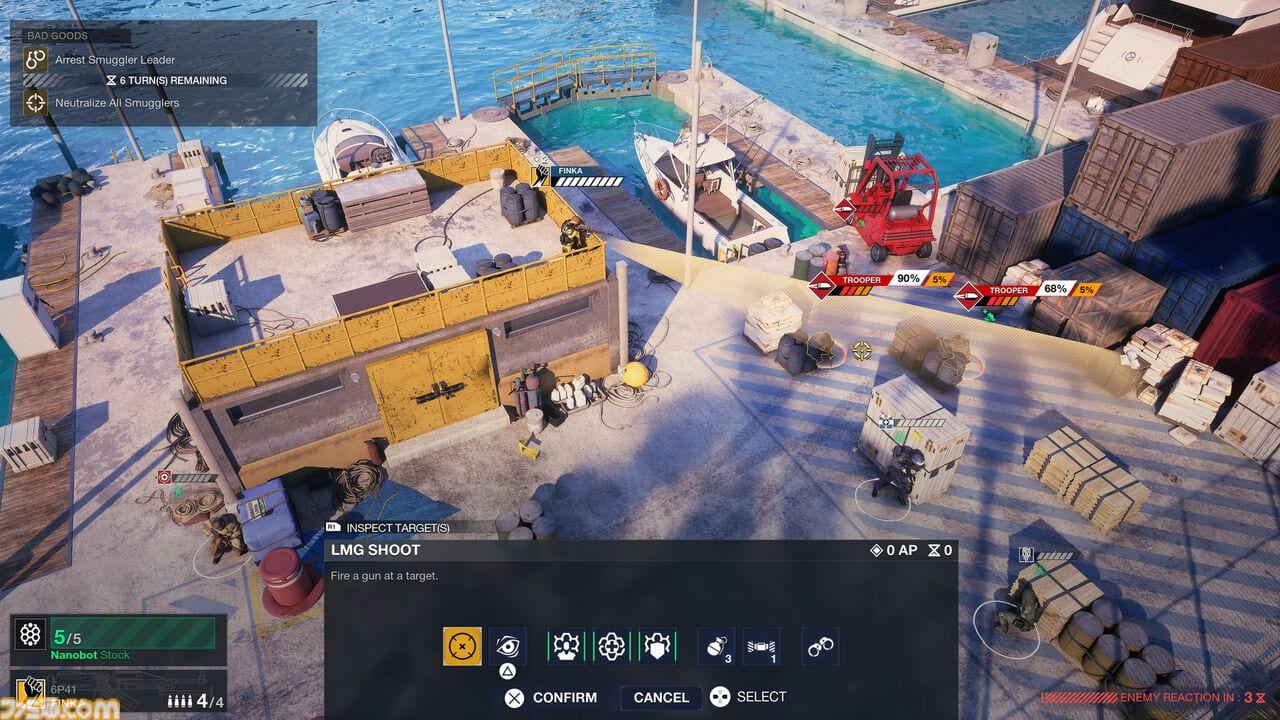
Rainbow Six Tactics does not have a public control sheet yet. Steam’s system-requirements block still only lists Windows 11. That does not mean you should ignore inputs. It means this page has to be honest: we can describe the verbs the game needs, the devices it ships on, and how tactics games from the same studio tend to bind them. When Ubisoft publishes the real map, this page will become a table. Until then it is a commander checklist so the Closed Test does not surprise you.
Platforms and expected devices
The game is coming to PC (Steam, Ubisoft Connect, Epic Games Store), PlayStation 5, and Xbox Series X|S, with Ubisoft+, GeForce Now, and Blacknut at launch. See platforms for storefronts.
Expected input, based on genre and those SKUs:
- PC: mouse for camera and targeting, keyboard for camera modifiers, confirm, cancel, and hotkeys for operator 1–4.
- PS5 / Xbox: left stick camera or cursor, right stick rotate/zoom, face buttons confirm/cancel, d-pad or bumpers to swap the selected operator, triggers for the “commit Breach” style actions.
Ubisoft Paris also made Mario + Rabbids, a tactics series that is extremely readable on a pad. Tactics should be playable on a couch. Do not assume you need a mouse to be good. Do assume a mouse will be faster for camera flicks on PC.
Verbs you will bind
Regardless of glyphs, the game has a short verb list. Learn the verbs, then slap keys on them in the Closed Test.
Select operator. You have four. You need a way to jump to each without cycling three times. If the PC build offers 1–4, use them.
Move / path. Tactics cameras want a click-to-move or a cursor plus confirm. Preview the path. If the path crosses a window the drone hated, cancel.
Aim / face. Siege players look with the stick. Here you are setting facing for overwatch-style shots and shield walls. Facing is a decision, not a flourish.
Gadget. One button should be “unique gadget,” not buried in a radial you forget mid-Breach. Twitch’s drone and Sledge’s hammer are not the same tempo.
Breach commit. The synchronized assault needs a confirm that is hard to fat-finger. You do not want to send four people through a wall because you double-tapped.
Camera. Tilt, zoom, and a “reset to selected operator” key. Interior maps will occlude. Learn the occlusion toggle if it exists.
End turn. Put it on a key you will not hit while panning. Accidental end-turn is the classic tactics own-goal.
How to play explains when those verbs happen. How to Breach is the moment the confirm button matters most.
Accessibility and quality-of-life to look for
When the options menu exists, look for:
- Hold vs toggle for the Breach preview.
- Colorblind-safe enemy / hostage markers. Interiors will be brown on brown.
- Camera invert and a reduced-shake toggle for the synchronized assault cinematic.
- Subtitle language separate from UI language. Steam already lists 15 interface languages with full audio on English, French, German, and Spanish.
- Remap of operator hotkeys so a left-handed mouse user is not trapped.
We will not invent a key table. If a leaked screenshot shows one, it still belongs in Updates as unverified until it is in a build you can hold.
How to practice inputs without the game
You cannot. What you can do is decide your device now. If you are a Siege mouse player, stay on mouse for the Closed Test so camera muscle memory is one less variable. If you are buying the game for the couch, spend the test on a pad so your squad building decisions are not hiding a bad binding.
Also decide your communication style. Tactics is single-player, but you will still pause. Use the pause. The game is selling careful planning. There is no ranked queue to impress.
When this page will get a real table
- Closed Test invitation emails and Ubisoft Connect overlays often include a draft remap.
- The first PC settings screenshot from a creator.
- Launch manuals on PlayStation and Xbox.
Until those exist, treat this guide as the question list you take into the test: can I select operator 3 in one input, can I cancel a Breach, can I end turn safely, can I drone without losing the camera. If the answer to any of those is no, that is a bug report, not a skill issue.
For the rest of the new-player path, return to getting started and keep controls — this page — pinned next to your display settings.
Frequently Asked Questions
Quick answers to the most common questions.
Are official Rainbow Six Tactics keybinds public?
Not yet. Steam has not published a control list. This page tracks verbs and devices until Ubisoft ships a map.
Will the game support controller on PC?
It ships on PS5 and Xbox Series, and Ubisoft Paris has a tactics-on-pad history. Expect pads on PC even if the overlay is not documented.
Is there gyro or mouse aim like Siege?
Unlikely as a core gunfight tool. Tactics is a commander camera. Aim is targeting, not a 360 sensitivity war.
Where should I send control feedback?
Through official Ubisoft / Closed Test channels, not through this fan wiki. We will mirror documented changes on Updates.